Most people are at least somewhat on edge about the economy at the moment, and software as as service (SaaS) companies are also seeing cause for concern.
But if you can maintain your sense of focus and prioritise your key performance indicators (KPIs), you should be able to survive or even thrive during a market downturn.
SaaS KPIs matter tremendously for a range of different reasons:
They give you a grip on reality: Operating with false confidence is one of the most dangerous patterns of behaviour you can adopt in business. That’s doubly true when the market goes sour. During times like these, your SaaS KPIs offer vital clarity about what’s working and what isn’t.
Metrics prove your progress: Your SaaS KPIs can offer your whole team a psychological boost. After you’ve set your departmental and company-wide goals around metrics, having concrete daily and weekly proof of your forward momentum can be gratifying.
Strong metrics impress investors: Generating venture and investment capital can significantly extend your financial runway in challenging markets. Having genuinely impressive SaaS KPIs will help sway investors in your favor.
During a market downturn, honing in on your SaaS KPIs can prove more valuable than ever.
In this article, we talk about a few of the most significant KPIs to remain mindful of in bear markets.
Here’s what we cover:
Watch your churn and engagement numbers like a hawk
Your voluntary churn rate is often linked to the engagement level you’re fostering in your customers. After all, if many people are engaging with you happily and regularly, your churn rates probably aren’t that high.
You should also be mindful of involuntary churn, however. It’s always important to stay on top of your payment processing.
But when everyone’s trying to stretch their cash to combat a market downturn, your customers might reconsider signing up for your services a second time once they’ve been kicked off.
You want to avoid that.
If your churn rate is climbing and engagement is falling, consider these strategies:
Offer discounted subscriptions: Who doesn’t love a good deal, especially when inflation’s high? You could tackle this in multiple ways: offering a bulk discount for purchasing numerous months, a user-based discount, or giving one free month to new signups.
Incentivise social sharing and posting: If you haven’t been maximising your effectiveness on social media, there’s no time like the present. Creating platform-exclusive content and then telling your customers about it is a great way to get more traffic to your accounts.
Consult your CMO: If your engagement is flagging, have a quick one-on-one with your company’s chief marketing officer (CMO). Limiting the meeting to the two of you ensures you both feel free to speak your minds about what’s working and what might need fixing.
Next, let’s turn our attention to the financial side of things.
Take it month by month
In poor market conditions, you should narrow your time horizon and perspective.
Watch your revenue month by month to carefully track and address any negative patterns that might be forming while also keeping an eye on your annual recurring revenue (ARR).
Your monthly recurring revenue (MRR) gives you a consistent way to check in with yourself and your team each month.
If troubling developments are spotted, these can hopefully be addressed and turned around before they become serious problems.
Modern cloud accounting solutions for SaaS companies include a SaaS metrics dashboard and automate the MRR calculation with real-time data.
Think of it like this: by consistently managing and improving your MRR, your ARR essentially takes care of itself.
Your MRR serves as your compass to give you a sense of your direction throughout the year, and your ARR is the rewarding view you get after the journey.
No surprises, no anxiety, just a serene sense of satisfaction in your accomplishments.
Accounting software can help you forecast your MRR with pinpoint accuracy.
Improve your customer effort score
Customer effort score (CES) is a scoring metric for how hard a customer has to work to get a question answered or a problem resolved.
For instance, on a scale of one to five, where five represents the maximum level of customer effort required, you’d want to score a one.
A SaaS company’s CES becomes a big deal during a market downturn.
Depending on their industry and services, many SaaS apps find themselves in the ‘first to go’ category as consumers curtail their spending.
Making it simple and seamless for your customers to get help when they need it goes a long way.
You should be asking yourself:
If you’ve done enough: What have you offered your customers in terms of self-service options, for instance? Have you built out a robust ‘resource centre’ full of easy-to-read content? Maybe try an automated chatbot?
Where the weak links are: Customer service is often a chain of solutions rather than just a single one. An automated chatbot might try to help first. If it can’t help, it refers the customer to the company’s online resource centre. If that still doesn’t work, the customer will probably call or email at that point. Ensure your entire customer service chain operates smoothly and there aren’t one or two links weakening the whole thing.
If the writing is on the wall: Often, customers will write reviews signalling their dissatisfaction if you fall short on your customer service obligations. You need to be proactive about listening to them and quickly making corrections where people have asked for them.
Work to optimise your CES. You’ll give yourself an essential advantage over many of your competitors while everyone rides out the market downturn.
Final thoughts
We’ve only scratched the surface of why predictive SaaS KPIs are vital during a market downturn.
But essentially, if you want your business to not only survive but thrive during difficult times, tracking the KPIs we’ve highlighted in this article should be high on your list of priorities.
In the dynamic world of digital marketing, few names resonate as powerfully as Neil Patel‘s. He is not just a New York Times bestselling author, but the co-founder of NP Digital, and a leading force in the digital marketing arena. With an impressive track record of helping global giants like Amazon, NBC, GM, HP, and Viacom boost their revenues, Patel’s influence extends far beyond the business realm. Neil Patel was born in London, England, in 1985. His journey to becoming a digital marketing luminary took him across the Atlantic as his family relocated to the United States when he was still a child. Growing up in sunny California, Patel’s entrepreneurial spirit began to take shape at a remarkably young age. He founded his first online business at the tender age of 16, and this early start laid the foundation for a lifelong journey into the world of digital marketing. In 2008, Patel co-founded Crazy Egg, an innovative heatmap analysis tool that helps businesses gain insights into how their website visitors are engaging with their content. This marked the beginning of his journey as a tech entrepreneur. He also co-founded Hello Bar, a software company specializing in creating and displaying conversion-focused pop-up messages, further showcasing his knack for developing solutions that cater to the needs of online businesses. In 2014, Patel co-founded NP Digital, a digital marketing agency that has since evolved into one of the world’s largest and most prominent firms in the industry. NP Digital has supported over 100,000 businesses of all sizes in enhancing their online presence and growing their revenues. Neil Patel’s influence transcends his entrepreneurial ventures. He is a prolific writer and a sought-after speaker in the digital marketing space. With over 10 books on digital marketing to his name, he shares his wealth of knowledge at industry events and contributes to respected publications like Forbes, Entrepreneur, and The Huffington Post. What sets Neil Patel apart is his commitment to helping businesses succeed. He is known for his actionable advice and readiness to share his insights with others in the industry. His belief in the transformative power of digital marketing to drive business growth is a guiding principle that has made a tangible difference in the digital marketing landscape. ET Masterclass with Neil Patel Patel’s Impact on the Digital Marketing Industry: Neil Patel’s contribution to the digital marketing industry is colossal. He has been instrumental in popularizing many of the prevailing digital marketing strategies, including content marketing, search engine optimization (SEO), and social media marketing. His educational efforts have reached millions of businesses, enlightening them about the immense potential of digital marketing. One of Patel’s remarkable achievements has been making digital marketing more accessible to businesses of all sizes. By advocating best practices and ethical marketing techniques, he has elevated industry standards, enhancing the credibility and trustworthiness of digital marketing. Patel’s Advice for Businesses: Neil Patel’s counsel to businesses is clear and concise. He emphasises the importance of creating high-quality content and nurturing relationships with customers. These two fundamental pillars, he believes, are pivotal for businesses to thrive in the digital age. Patel also encourages businesses to experiment with various digital marketing strategies to uncover what works best for their unique needs. In his view, there is no one-size-fits-all approach in the world of digital marketing. Neil Patel is more than just an influential digital marketer; he is a driving force behind the evolution of the industry. As an author, speaker, and co-founder of NP Digital, Patel’s impact extends across diverse facets of the digital marketing landscape. His guiding philosophy underscores the significance of top-notch content and customer relationships in a world transformed by digital technology. Opportunity to Learn from Neil Patel at ET Masterclass For those aspiring to gain direct insights from Neil Patel, one of the most influential digital marketers in the world, the “ETMasterclass – Marketing, Branding & Advertising Masterclass” is the platform of choice. Patel is one of the distinguished speakers at this event, scheduled for November 29 to December 1, 2023. The masterclass offers a unique opportunity to tap into Patel’s knowledge and expertise and explore the latest trends and strategies in the digital marketing realm. Don’t miss this opportunity to learn from a true luminary in the field and to equip yourself with the insights and skills required for success in today’s ever-evolving digital business environment. Register Now: https://bit.ly/48SsSBS
Whatever your past experiences were visiting the dentist, issues that left a lot to be desired, perhaps the cold atmosphere, outdated equipment, limited services, or the waiting area’s dingy décor, say a holdover from the ’90s, will be nothing but a distant memory, thanks to an inventive practice on the North Shore.
Theory + Essence has created a new era of aesthetics, a next-level dental and facial care clinic that will not only meet your expectations but exceed them in every conceivable way.
It’s Vancouver’s first-of-its-kind hybrid dental and medispa, led by Dr. Farshid Shahbazi and his wife, Naz, co-founder and director, creating a fusion of beautiful skin and healthy smiles.
You might be confused, albeit pleasantly surprised when you step into the reception area. You’ll be greeted with creamy Calcutta marble, warm wood, and attractive lighting—all the makings of a welcoming spa-like environment, and unlike any traditional dental office, encompassing 6,000 square feet, with views of Lionsgate Bridge and bustling Lonsdale Avenue.
The space and services are anything but conventional. Dr. Shahbazi and his clinically trained team of dental and facial rejuvenation experts provide complete oral and maxillofacial care. Meanwhile, Naz—the brains behind the spa side—blends facial care with an effective dental care regimen to further improve their clients’ experience.
High-quality, custom dental services
Dr. Farshid Shahbazi and his wife, Naz, co-founder and director. Photo via Theory + Essence
A family dentist, Dr. Shahbazi combines authenticity and modernity, offering custom-made dental care using cutting-edge dental techniques.
“I’ve been working in this area for more than 20 years, and have the same core values today as when I started: to provide the highest quality of service to my patients while believing in the value of innovation and technology,” he describes.
“We’re constantly evolving and expect to be a fully digital clinic in the next few months. We are always updating our systems because these new technologies help with diagnosis, enabling us to meet patient’s expectations more predictably and with consistent outcomes, providing high-level and painless treatments.”
He continues: “That’s the value of digital technology, AI-driven systems in our practice. We’ve created a platform to deliver the highest level of dental care while incorporating facial aesthetics.”
Theory + Essence offers a full range of services that endeavour to give you the smile of your dreams, including dental implants, teeth whitening, Invisalign, and veneers, to name a few.
Regardless of how complicated a patient’s treatment is, Dr. Shahbazi finds solutions with his team of specialists, including dentists, hygienists, an endodontist, a periodontist, a physician and an esthetician.
High-end aesthetics and products
Theory + Essence has created a new era of aesthetics. Photo via Theory + Essence
A suite of medical aesthetics and spa services are available, including Dr Burgener Switzerland, Ignae, Auteur, Biologique Recherche, Vida Glow, medical grade facial selections, injectables, and more.
“We offer Dr. Burgener Switzerland facial selections, a very special Swiss line,” says Naz, whom she met at a spa in the South of France, where the Queen of Monaco was getting a facial at the time.
“We brought her products to Canada, and only a few hotels in North America carry them. Green Caviar cream and the Grand Cru serum are her very best products. She uses only the highest ingredients, and I believe it’s the best product line in our clinic.”
Check out the Precious Gold and Green Caviar facial, recognized for its anti-aging power, using ultrasound on a deep cellular level to stimulate skin regeneration.
For more information and to book an appointment today, visit theoryandessence.com
A business expense tracker app is a digital tool to record and process various business expenditures. These apps help small business owners, finance managers, and accountants set budgets, organize receipts, compare spending vs budget, and some include tools for reporting receipts for tax deductions.
Businesses with multiple employees traveling, entertaining clients, ordering supplies, or incurring other expenses use tracking apps to see what employees spend. It also streamlines the process of reimbursing employees.
For example, imagine you’re sending 3-4 employees to a tradeshow or weekend conference. You can use the app to track travel and meal expenses. Then, each employee meets new clients and prospects. One employee might treat a prospect to lunch, while another organizes a cocktail hour for several clients.
Each employee enters their expenses on the app so your bookkeeper can easily record all transactions. It then makes it easier to process reimbursements.
Most apps integrate with your accounting software or are built-in tools. You can usually keep track of receipts to submit them for tax deductions.
How does Business Expense Tracking software work?
There are different business expense apps for specialized features, but all apps should include essential core features. Here are the most common features to look for in your expense-tracking app.
User-Friendly Dashboard
An intuitive dashboard provides quick insights into spending patterns, expense reporting, and pending reimbursements. The dashboard should be visually appealing and easy to follow while providing insights and at-a-glance summarizations.
Users should be able to take action at the dashboard level. Examples of actions include approving or denying expense reports, adding or editing expenses, and identifying spending trends.
Expense-tracking software dashboards should consist of:
The status of expense reports for each employee.
Any missing or denied expense reports.
Spending limits by employee, event, or project.
Any overages on spending limits or other policy violations.
Setting a Budget
One of the key features of expense tracking software is the ability to set a budget. This could include spending limits for employees or events. Many apps include notifications when expenses go over budget or allow you to set up automatic denials for over-budget expenses.
Mobile App
A mobile app allows employees to submit expenses while traveling. It’s an incredibly convenient tool that streamlines the entire process.
Many software programs include mobile accessibility, but those that provide a full-fledged mobile app are usually the best options. Mobile apps enable employees to create, manage, and submit expense reports from their phones. It also gives employers the flexibility to process expense reports from anywhere.
Consider business expense software providers that include a user-friendly app that your employees can use with minimal training. Ideally, you’d get a cloud-based solution that integrates with your accounting software seamlessly.
Digital Receipt Capture
Keeping track of paper receipts can be difficult and time-consuming. Any lost receipts can cause significant delays in reimbursement.
Many vendors, hotels, restaurants, etc., use digital receipts instead of paper. Tracking a mix of paper and digital receipts manually can be a headache.
Expense tracking apps help employees record both receipt types in a single digital location. Employees can scan or take a picture of paper receipts, and the software captures the date, amount, and other pertinent information. Employees can log digital receipts directly in the app or forward the email with the receipt.
Mileage Tracking
You need to track mileage to reimburse employee travel. It also helps with mileage deductions during tax time.
However, employees don’t always remember to write the mileage before and after a trip. Mileage tracking features allow employees to enter the start and end destinations to log mileage.
Automate Approvals
Manually reviewing and approving each expense report can take a long time, especially if your business processes a high volume of expenses. Some expense tracking software allows you to create custom workflows to streamline the process.
For example, an app might include notifications to alert each reviewer when it’s their turn to review and approve the expense report. You could also upload your business expense policy and set up workflows to flag any reports that are inconsistent with that policy.
Analytics & Reporting
Tracking expenses can provide insights such as expense patterns, budget planning, and identifying fraudulent expense claims. You can use these insights to inform strategic decisions and avoid unnecessary expenses.
Expense report data tracking varies by company and industry. However, you should be able to process the following reports:
Break down of expenses by report and type.
Spending by employee or department insights.
Expense policy violations by employee.
Reconciling expense reports with credit card bills.
Custom reports to visual key data points.
What are the Best Business Expense Tracker Apps?
Here’s our list of the top five best business expense trackers.
Zoho Expense: Best Overall
Zoho Expense is part of the Zoho suite of office products, including the Zoho Books accounting software. The program includes over 300 integrations for both Zoho and third-party apps.
One of the standout features of Zoho Expense is that it offers a free plan for up to 3 users, although it only comes with 5GB receipt storage. Employees can use the automated expense reporting to simplify the process and track business expenses.
You can keep track of pre-approved spending with purchase requests. The app includes direct deposit for reimbursement, keeping your employees happy and paid on time.
Zoho Expense also has an option to automate credit card reconciliation that categorizes your purchases. The software collects data that can produce over 25 reports on spending, travel, credit cards, and more.
Subscription Plans
Paid plans provide extra functionality and users. The available plans include:
Free: $0 for up to 3 users.
Standard: $5/user monthly (min. 3 users).
Premium: $8/user monthly (min. 3 users).
Enterprise: $12/user monthly (min. 500 users).
Zoho Expense Pros & Cons
Pros:
Includes a robust free plan.
User-friendly solution.
Integrates with Zoho suite & all major accounting programs.
Ability to create custom expense policies & rules.
Advanced customization options on paid plans.
Cons:
The free plan only allows 3 users.
Auto-scan only works for JPEG, PNG, and PDF files.
You can only update 5 receipts per expense.
Some users might have a learning curve.
Expensify: Best for Dedicated Credit Card Tracking
Expensify is an expense tracking solution that provides real-time updates and next-day reimbursements on approved expense reports. It stands out for its enhanced credit card tracking capabilities.
It includes the ability to import business and personal credit cards. Business owners that use the Expensify credit card get a 50% discount on paid subscription plans.
The two free plans work well for freelancers. Other key features include one-click receipt scanning, unlimited receipt uploads, and integrations with major accounting programs like QuickBooks and Xero. It has over 40 app integrations.
Provides separate plans for businesses and freelancers.
Supports multiple currencies.
Custom reporting capabilities.
Tax tracking tools.
Cons:
Can be expensive if you don’t use the Expensify card.
Free plan only allows 25 auto-scans per month.
Low ratings on Better Business Bureau (BBB) and Trustpilot.
Rydoo: Best for International Expenses
Rydoo is an expense-tracking software option that improves expense approval, including automated workflows based on set rules. It helps managers identify expense patterns, outsource approvals, and produce reports on expenses.
The program stands out for its ability to handle international business travel expenses. You can track mileage and tax rates for different countries or jurisdictions.
This enables your business to handle expenses easily. You can set per diem rates for over 20 jurisdictions.
Employees can use the mobile app to record receipts on the go or forward electronic receipts to the app. You also get insight reporting, which helps identify overspending and cost-saving opportunities.
Subscription Plans
The available plans include:
Essentials: $12/user monthly (min. 5 users).
Pro: $14/user monthly (min. 5 users).
Enterprise: Custom pricing.
Rydoo Pros & Cons
Pros:
Real-time expense tracking.
Automated expense approval flows.
Good for tracking international expenses.
Multiple supported languages.
Integrations with over 35 apps.
Cons:
Limits on pages or PDF uploads (max 15 pages).
Scanning isn’t always reliable.
Can be expensive for some small businesses.
Not suitable for fewer than 5 users.
FreshBooks: Best for Freelancers
FreshBooks provides an easy-to-use expense-tracking system for freelancers and solo entrepreneurs. You can connect your credit card and bank accounts to assist with updating expenses automatically.
It provides 14 expense categories with 40 subcategories and the ability to add more if needed. You can mark billable expenses, pull them directly into invoices, and set up payment reminders.
Subscription Plans
The available plans include:
Lite: $17/month for 5 billable clients.
Plus: $30/month for 50 billable clients.
Premium: $55/month for unlimited billable clients.
Select: Custom pricing.
You can add additional users for $10/month per user.
FreshBooks Pros & Cons
Pros:
Easy-to-use interface.
Meets most freelancer needs.
Importing & auto-creating expense reports from credit card transactions.
Assignable recurring expenses.
Variety of expense categories & subcategories.
Cons:
No in-app reimbursement tools.
Doesn’t provide workflow management features.
Costs an additional $10 per user per month.
Must connect to a bank account to track cash flow.
QuickBooks Online: Best for All-in-One Accounting
QuickBooks Online (QBO) is one of the leading accounting software companies in business. It provides full accounting services, including expense tracking.
You can sync your bank account, credit card, and other online accounts to import expenses automatically. The software also includes the ability to create custom rules to categorize expenses and run reports to track where money is going.
Users can also upload pictures of expense receipts, and the software will link them to the transaction. Freelancers can submit invoices with attached expense receipts.
Since the expense tracking is integrated with the accounting software, it lacks some of the advanced features of a standalone solution. However, you can integrate with expense tracking programs like Zoho Expense if the available features are too limiting.
The costs are higher than the other options on this list, but that’s because it’s a full accounting program.
Choosing the best expense tracker for your business depends on your budget and unique needs. Here are some crucial considerations when choosing an app.
Cost
One of the primary considerations when choosing an app is the cost. One of the advantages of expense-tracking apps is identifying cost-saving opportunities – you don’t want to undercut that by paying more than you should.
Many plans charge per user. So, while a plan might seem affordable, the costs could pile up if you have many users tracking and submitting expenses.
There are a variety of free plans available for small teams. There are also low-cost plans if you don’t need advanced capabilities.
On the other hand, larger businesses with complex expense tracking needs might consider paying for expensive professional and enterprise plans. The improved automation and efficiency of advanced features could save more costs than a cheaper plan.
Compliance & Security
All expense-tracking software must comply with the Sarbanes-Oxley Act (SOX). The act is also called the Public Company Accounting Reform and Investor Protection Act. SOX is designed to protect investors with improved accuracy and reliability concerning corporate disclosures.
The expense tracking app should also include data storage for up to seven years in case of an IRS audit. You must be able to produce receipts for tax-deductible expenses.
In addition to compliance standards, it’s in your best interest to get secure expense-tracking apps. After all, the app will most likely be linked to your business bank account, credit card, or other sensitive payment information. Most apps include SSL encryption and two-factor authentication (2FA).
Integrations
It’s vital that your expense tracker integrates with your accounting software, especially when using a standalone solution. Integrations unlock the full potential of business tracking apps.
Most tracking apps integrate with the most widely used accounting software programs like QuickBooks and Xero. However, ensure it’s compatible with your software before committing to an expense tracking system.
User Interface/Ease of Use
The app should make it easy for employees to submit expenses. A friendly user interface (UI) and simple design simplify the process of training employees to use the app. They’ll also be more likely to use it reliably if it’s not a headache. You may want to consider getting a free trial to ensure it works for everyone in the company.
Mobile Capabilities
As mentioned, the program should include a mobile app or at least be easily accessible from a mobile device. Many businesses track expenses related to employee travel, and in general, businesses need more flexibility in the modern age.
The app should have image capture to upload receipts or expense reports quickly. The best apps include optical character recognition (OCR), which recognizes handwritten or printed text and automatically converts it to machine-coded text. This enables the software to auto-populate essential fields by gleaning information from the receipt rather than manually inputting it.
Analytics
A key benefit of expense tracking is that it can help you identify trends and overspending to improve efficiency – if it provides analytics. Collecting and reporting on expense data helps you understand where your money is going.
Examples of analytics to look for include actual expenses vs budgeted, expenses by employee, and overspending by employee. You should also be able to quickly see differences in week-to-week, month-to-month, and year-to-year spending.
Frequently Asked Questions
Here are the most common questions about the best expense tracker apps for small businesses.
Does my Business need an Expense Tracking App?
Manual expense tracking can be challenging and time-consuming. No one wants to sift through folders of receipts every quarter to file taxes. It’s also less efficient in tracking what you’re spending money on and ensuring accurate reimbursements.
However, some companies can get everything they need for expense tracking from simple bookkeeping solutions. Other businesses need the advanced tools and features of a dedicated expense-tracking app.
Here are some situations where you should consider getting a business expense tracking app.
Expenses are Passed on to Customers
Some businesses, such as professional and personal services, incur expenses that get passed onto the customer. For example, a law firm might include additional expenses or a marketing agency might bill extra expenses to a client. Many expense tracking apps allow the business to assign expenses to a customer or project, making it easier to gather when billing the customer or firm.
High Volumes of Expense Reimbursements
One of the main reasons to use business expense tracking software is to handle reimbursements for expenses your employees pay out-of-pocket. A simple bookkeeping solution may be sufficient if you only have the occasional expense report to process.
However, if your business has many employees submitting different expenses in different locations, it can be difficult to track them all. It would be best to have a convenient tracking solution to keep all expenses, reimbursements, and reporting in one location.
Streamlining Business Processes for Growing Companies
As your business grows, so will your expenses. Not only will the volume increase, but the complexity will also grow.
Some companies hire more employees to handle processing the increase in expense reports. However, this might not be the most cost-effective solution.
You’ll have to run the numbers on whether paying for an advanced expense-tracking app or hiring additional staff is better for your budget. In most cases, paying for a software solution is lower cost and helps streamline your process.
What types of Business Expenses should I track?
The most common expenses businesses track include travel, food, and lodging while conducting business. Other examples could include special client needs during a project or an employee paying for additional supplies.
Many businesses provide employees with a business credit card and expense account. You should track any individual employee expenses that they paid for using the company card. In addition, an employee might make payments from their personal credit card or funds, which you should also track.
Self-employed individuals can also track additional expenses. In all cases, you should keep a record of any tax-deductible expenses.
Are Business Expense Trackers safe?
Most business expense trackers use bank-level security solutions to secure your data. For example, you can usually expect sockets security layer (SSL) 256-bit encryption and two-factor authentication. However, it would be best if you also got into the habit of further securing your information by following proper password management techniques.
Are there free Business Expense Tracker Apps?
Yes, there are several free options for tracking business expenses. Most free expense tracker options limit users and only provide basic features. However, they can suffice for smaller teams and new businesses.
Some top providers for free accounts include Zoho Expense, Emburse Spend, and Ramp (requires using the Ramp business credit card). Other free expense tracking options are geared toward personal expenses more than business expenses, but some of those options may work for freelancers or small startups.
Does Business Expense Tracker software include tax deductions?
Some business expense trackers include tools to integrate with your tax software to process deductions seamlessly. Other programs tally your expenses to make it easier for your accountant to pull the relevant data. In either case, it’s essential that the app stores all expense information for at least seven years so it’s available in case of a tax audit.
Best Small Business Expense Tracker Apps – Final Thoughts
Expense tracking software for small businesses streamlines the process of uploading receipts, submitting expense reports, and processing reimbursements. The best options are affordable and provide a clean and friendly UI that’s easy to learn.
Our list above identifies some of the best options to consider for expense management. However, there are many business expense trackers on the market. Getting the best app for your business requires identifying your specific needs and finding the app with the features that best match those needs.
Contact us if you have more questions on the best expense tracker apps for small businesses to apply for a business loan. Our alternative business funding experts can help you get the most advantageous financing options to help your business grow.
Receipt scanning software, when paired with a portable scanner, is typically integrated with business expense trackers and management apps. This allows for easy organization and tracking of documents within your account. The software relies on Optical Character Recognition (OCR) technology to extract data from scanned receipt images. OCR allows the software to convert scanned images into editable and searchable data instead of entering the information yourself. Many image source apps include a mobile app allowing you to scan documents from your smartphone or other mobile device. These management apps are great for keeping track of receipts and account information.
In addition to OCR, modern receipt-scanning software offers features such as auto-categorization, smart tagging, and real-time syncing across devices and platforms. These features save time and effort in organizing expenses and ensure that changes or additions on one device are instantly reflected across all devices.
Advancements in receipt-scanning software include duplex scanning support, improved accuracy rates for extracting data from complex layouts or faded prints, and “pass-through” duplex scanning capabilities for scanning multiple receipts simultaneously. As technology evolves, we can expect further enhancements in accuracy and efficiency, especially when it comes to documents. With the receipt scanner feature, the receipt scanning process becomes faster and more convenient. The receipt scans are now more accurate and efficient.
What are the benefits of using Receipt Scanners and Trackers?
Here are some key ways receipt scanners can help you improve business operations.
Eliminate Manual Data Entry
With receipt scanners and tracker apps, you can easily digitize your receipts by scanning them using your smartphone’s camera. As mentioned, these apps use advanced OCR technology to extract relevant information from the scanned receipts, such as the date, vendor name, amount, and even line items. This eliminates the need for manual data entry, saving you time and reducing the chances of errors.
Easily Organize, Categorize, and Store Receipts Electronically for Quick Access
Gone are the days of rummaging through stacks of paper receipts or searching cluttered email inboxes to find a specific receipt. You can conveniently organize your receipts electronically by using receipt scanners and trackers. These expense-tracking apps allow you to easily scan and categorize expenses by creating custom tags or folders, making it a breeze to locate specific receipts when needed. You can also add notes or labels to provide context for each expense.
Simplify Expense Tracking, Tax Preparation, and Financial Reporting
Keeping track of business expenses, including receipt tracking and receipt management, is crucial for tax purposes and financial reporting. Using a receipt scanner or receipt scanning technology can greatly simplify the process of receipt management. Receipt scanners and trackers simplify this process by automatically capturing essential details from your scanned receipts. They generate comprehensive expense reports that can be exported in various formats like PDF or CSV for seamless integration with accounting software or tax preparation tools. This streamlines both tax filing processes and financial reporting tasks.
Improved Accuracy
Manual recordkeeping is prone to human errors such as transcription mistakes or misplacement of physical receipts. However, using a scan app can help eliminate these errors and streamline the process. By using receipt scanners and trackers, you significantly reduce these errors since they rely on automated data extraction algorithms rather than manual input. The OCR technology employed by these apps ensures the accurate capture of essential information from receipts without human intervention. This saves you from potential errors and provides a more reliable and consistent record of your expenses.
What are the best Receipt Scanner Apps for Small Businesses in 2023?
In today’s digital age, managing receipts and tracking expenses is crucial for small businesses. Luckily, several top-rated business expense tracker apps are available to make this task easier and more efficient. Let’s explore some of the best options tailored specifically for small businesses that include an app for receipt scanning and tracking.
Zoho Expense: Best Overall
Zoho Expense is an excellent app for small businesses to track and manage expenses with its receipt scanner feature. The software is also ranked at the top of our best business expense trackers. It’s easy to use and has helpful features. One cool thing it does is automate expense approvals and reimbursement workflows. This saves time and helps avoid mistakes. Small business owners can customize the approval process to fit their needs.
Zoho Expense provides a seamless experience with its user-friendly interface. Navigating the platform is a breeze, allowing users to quickly access the information they need without hassle. The software’s intuitive design makes it easy for even non-technical users to understand and utilize its various features effectively.
One notable aspect of Zoho Expense is its ability to integrate with other popular accounting software like QuickBooks Online and Xero. This integration ensures that all expense data seamlessly flows into your accounting system, eliminating the need for manual data entry or reconciliation. It simplifies the overall process of managing finances for small businesses.
Zoho Expense Subscriptions
Free: $0 for up to 3 users.
Standard: per user per month (min. 3 users).
Premium: per user per month (min. 3 users).
Enterprise: per user per month (min. 500 users).
Zoho Expense Pros & Cons
Pros:
Includes a robust free plan.
User-friendly solution.
Integrates with Zoho suite & all major accounting programs.
Ability to create custom expense policies & rules.
Advanced customization options on paid plans.
Cons:
The free plan only allows 3 users.
Auto-scan only works for JPEG, PNG, and PDF files.
You can only update 5 receipts per expense.
Some users might have a learning curve.
Expensify: The Top Expense Tracking App for Travelers
Expensify is an expense-tracking app that caters to the unique needs of frequent travelers. Its user-friendly interface and powerful features simplify the process of managing expenses on the go.
One of the standout features of Expensify is its ability to capture receipts using mobile devices. Whether you’re dining at a restaurant or purchasing supplies for your business, you can easily snap a photo of the receipt with your smartphone and let Expensify do the rest. The app automatically extracts relevant data such as the merchant name, date, and amount, saving you valuable time and effort.
Tracking mileage can be a tedious task, especially for frequent travelers. Expensify makes it easy by allowing you to log your mileage directly from your mobile device. Simply enter the starting point and destination, and let the app calculate the distance traveled. This feature comes in handy when seeking reimbursement for business-related travel expenses.
Furthermore, Expensify simplifies per diem allowances by providing pre-set rates based on location. Instead of manually calculating daily allowances for meals and incidentals during your travels, you can rely on Expensify’s built-in per diem rates to ensure accurate expense reporting.
Expensify understands that efficiency is key. That’s why it offers seamless integration with popular travel management tools such as TripIt and Uber. Connecting these apps to Expensify allows you to automatically import travel itineraries and ride receipts into your expense reports without any hassle. It’s an excellent option to capture receipts and submit expenses.
Expensify Subscriptions
Free: $0 – It also offers a 6-week free trial for paid plans.
Collect: $5 per user per month (with Expensify credit card).
Control: $ 9 per user per month (with Expensify credit card).
Expensify Pros & Cons
Pros:
Provides separate plans for businesses and freelancers.
Supports multiple currencies.
Custom reporting capabilities.
Tax tracking tools.
Cons:
Can be expensive if you don’t use the Expensify card.
The free plan only allows 25 auto scans per month.
Low ratings on Better Business Bureau (BBB) and Trustpilot.
Wave: Best Free Receipt Tracker
Wave is an excellent choice for small businesses seeking a free, efficient, and user-friendly receipt scanner app. With its advanced OCR technology, Wave allows you to capture receipts using your smartphone camera effortlessly. This means you can say goodbye to the hassle of manually entering receipt information into your accounting software.
The software integrates seamlessly with popular accounting software like QuickBooks, Xero, and more. This integration ensures that your expense tracking is accurate and streamlined. Wave automatically transfers the important information from your receipts, such as the date, amount of money, and even the items purchased, into neat little categories. This eliminates the need for manual data entry and saves you valuable time.
But Wave doesn’t stop at organizing receipts. It offers a range of other features that make it a versatile tool for small businesses. One such feature is the ability to create invoices. Wave simplifies the process of sending invoices to your customers when they owe you money. It keeps track of who owes you money and when they need to pay you back, so you don’t have to worry about forgetting or losing track of payments.
Another valuable feature of Wave is its payroll management capabilities. Payroll management can be a complex task, but it becomes a breeze with Wave. The app helps you track how much each employee should be paid and when they should receive their payment. It acts as a super organized spreadsheet that does all the math for you, ensuring accurate and timely payments.
Wave Subscriptions
Wave’s receipt tracker is free.
Wave Pros & Cons
Pros:
Wave’s advanced OCR technology makes capturing receipts easy.
Saves time by automatically inputting receipt information.
Works well with accounting software like QuickBooks and Xero.
Helps track expenses by categorizing receipt info.
Offers additional features like making invoices and managing payroll.
Simple to use with a friendly interface.
Cons:
Might not be suitable for bigger businesses with complex needs.
Basic reporting capabilities compared to other software options.
Customer support mainly through email, potentially slower response times.
Security concerns with storing sensitive financial info in the cloud.
Shoeboxed: Best for Scanning & Tracking Paper Receipts
Shoeboxed is a highly efficient receipt scanner app that simplifies the task of expense tracking and record-keeping for individuals and businesses. By utilizing the app’s advanced OCR technology, users can easily capture images of their receipts using their smartphone camera. Once the photos are taken, Shoeboxed automatically extracts the relevant information from the receipts and organizes them into categorized folders.
One of the critical features of Shoeboxed is its ability to generate detailed expense reports. These reports provide a comprehensive overview of all the expenses incurred, making it easier for users to keep track of their spending. This feature is particularly useful for businesses that must maintain accurate records for tax purposes or reimbursement.
The app’s user-friendly interface and intuitive design make it accessible to individuals of all technological backgrounds. Whether you are a tech-savvy individual or someone who struggles with technology, Shoeboxed ensures a seamless and hassle-free experience. Its simple process allows users to manage their receipts and stay organized effortlessly.
Additionally, Shoeboxed offers integration with popular accounting software, allowing for easy data transfer. This integration eliminates the need for manual data entry and ensures that all financial information is accurately recorded in the appropriate accounting system. This feature is especially beneficial for businesses that rely on accounting software like QuickBooks and Xero.
Shoeboxed Subscriptions
Basic Plan: $9.95 per month.
Classic Plan: $29.95 per month.
Business Plan: $49.95 per month.
Shoeboxed Pros & Cons
Pros:
Efficient expense tracking.
Advanced OCR technology.
Automatic extraction of relevant information.
Detailed expense reports.
User-friendly interface.
Integration with accounting software.
Cons:
Subscriptions can be expensive.
Dependency on a smartphone camera.
Limited customization options.
Potential privacy concerns.
Reliance on an internet connection.
Limited customer support.
QuickBooks Online: Best All-in-One Solution
If you’re a small business owner looking for the best receipt trackers and scanners, then QuickBooks Online is your solution. It’s considered one of the most comprehensive accounting software options, offering a wide range of features to help manage your business finances effectively.
With QuickBooks Online, you’ll have access to a plethora of tools and features that make managing your finances a breeze. The expense tracking software includes invoicing to financial reporting. You can easily create professional-looking invoices and send them to your clients with just a few clicks. Plus, you can track all your expenses in one place, ensuring that nothing falls through the cracks.
QuickBooks Online offers an array of features designed specifically for small businesses. In addition to invoicing and expense tracking, it also provides robust financial reporting capabilities. You can generate reports on profit and loss statements, balance sheets, cash flow statements, and more. These reports give you valuable insights into your business’s financial health so that you can make informed decisions.
One of the significant advantages of using QuickBooks Online is its ability to integrate seamlessly with other QuickBooks products as well as third-party apps. This integration allows you to streamline your workflow by automating tasks such as syncing bank accounts or importing data from other systems. Whether integrating with Google Drive or connecting with customer relationship management (CRM) software, QuickBooks Online offers endless possibilities for enhancing functionality.
How can I choose the Best Receipt Scanner for my Small Business?
Now that we’ve discussed some of the best receipt tracker and scanner apps for small businesses, it’s time to evaluate your specific business needs. By considering these factors, you can make an informed decision on which app is the right fit for your specific business requirements and budget constraints.
Pricing
Each receipt scanner app has its own unique structure. There are options for free plans, or you can get a free trial for a paid plan with some apps. It’s crucial to weigh the cost against the value you’ll receive from the app. Consider your budget and determine if the pricing aligns with what you’re willing to invest in a receipt scanner app.
Ease of Use: Simplifying Your Workflow
A user-friendly interface is crucial when choosing a receipt tracker and scanner. You want a solution that simplifies your workflow rather than adding complexity. Look for intuitive designs, easy navigation, and straightforward functionalities that allow you to effortlessly scan and track receipts without requiring extensive training or technical expertise.
Integration Capabilities: Seamless Collaboration
Consider whether the receipt tracker and scanner can integrate seamlessly with other tools or software you currently use in your business operations. This integration allows for smoother collaboration across different departments or teams. For instance, if you use accounting software like QuickBooks or Xero, ensure the chosen solution integrates with these platforms.
Scalability: Growing with Your Business
As your small business grows, so will your need for an efficient receipt tracking system. Ensure that the solution you choose has scalability options that can accommodate increasing volumes of receipts as your business expands. This prevents any disruptions in your workflow due to limitations in storage capacity or processing power.
Different industries may have specific requirements. Assess whether a particular receipt tracker and scanner aligns with these industry-specific requirements. For example, if you operate in the healthcare sector, you may need a solution that complies with HIPAA regulations to ensure the security and confidentiality of sensitive patient information.
Recommendations and Expert Advice: Seek Trusted Sources
When selecting a receipt tracker and scanner for your small business, it’s always helpful to seek recommendations from trusted sources or consult with experts in the field. Reach out to other small business owners within your network or join online communities where professionals share their experiences and insights. This can provide valuable guidance in making an informed decision.
Frequently Asked Questions
Here are the most common questions about the best receipt trackers and scanners for small businesses.
Does my small business need a Receipt Tracker?
In today’s fast-paced business world, keeping track of receipts is crucial for small businesses. But why exactly do you need a receipt tracker? Let’s break it down for you in simple terms.
Firstly, implementing a receipt tracker can save you valuable time. Instead of manually sorting through stacks of paper receipts or searching through countless email attachments, a receipt tracker allows you to quickly and easily organize and access all your receipts in one place. No more wasting time hunting for that one elusive receipt!
Secondly, using a receipt tracker can greatly improve accuracy. With manual record-keeping methods, there’s always room for human error – receipts can get lost or misplaced, and essential details might be overlooked or misinterpreted. However, digitizing your receipts with a reliable tracking system minimizes the risk of errors and ensures that all your financial records are accurate and up-to-date.
Lastly, implementing a receipt tracker streamlines your overall business processes. By automating the tracking and categorizing of expenses, you can reduce administrative burdens and focus on more important aspects of running your small business. Plus, having organized records makes tax season much less stressful!
Are there any free Receipt-Scanning apps available?
Yes! There are several free receipt-scanning apps available for small businesses. Some popular options include Expensify’s free plan, which allows limited scans per month, and Wave’s Receipts by Wave app, which offers unlimited free scans.
Free receipt scanner apps can be a great option when you’re just starting out or trying to keep costs down. They allow you to scan your paper receipts using your mobile device’s camera and store them digitally.
Free App Drawbacks
While free receipt scanner apps can benefit those on a tight budget, they come with certain limitations. It’s important to consider these factors before committing to a particular app:
Usage Restrictions: Free plans often come with usage restrictions such as limited document scans per month or limited storage capacity.
Limited Features: Free versions may lack advanced features like automatic categorization or integration with accounting software.
Data Security Risks: Before using any app that handles sensitive financial information, research its data security measures and privacy policies.
The Best Business Receipt Tracking Apps – Final Thoughts
By now, you have a good understanding of the top apps available in 2023, including Zoho Expense, QuickBooks Online, and Expensify. Each app has its own strengths and weaknesses, so it’s important to consider your specific business needs before deciding.
To make the best choice for your small business, consider factors such as ease of use, integration with other software tools you use (like accounting software), mobile accessibility, pricing plans, and customer support. Remember that finding the best business expense tracker and receipt scanner can streamline your expense management process, save you time and effort, and ultimately contribute to the financial success of your business.
Now that you’re equipped with this knowledge go ahead and choose the perfect receipt tracker and scanner that suits your unique needs. Start simplifying your expense tracking process today!
Contact us if you have more questions about receipt tracker apps or apply for a small business loan. Our alternative financing experts can help you find the best funding solutions for your needs.
When most people describe innovation in their work or share their vision for “the art of the possible,” what they’re really describing is iteration. Let me explain…
Every company faces two opportunities forward. And a balance of the two requires investment and care to grow and thrive in a future that doesn’t stand still.
1) Iteration: Embracing the new to improve, enhance, augment, optimize, and scale what we do really well. Note: not everything you do today should come along with you into the future. Some things become outdated or outmoded. They require re-imagination for an evolving world where tastes, trends, times, behaviors, expectations, standards shift.
2) Innovation: Embracing the new to explore opportunities to create new value, test and learn, and grow ideas for business/market impact.
I’d like to share a 17-second clip with you that features legendary producer Rick Rubin. It’s a mind-changing perspective and a stimulus to “think different” (an homage to Apple for those who’ll suggest adding “ly”).
In this interview with 60 Minutes, Rubin shares his approach to music creation, which at first sounds counter-intuitive, almost ridiculous, in that it goes against everything we think we know, especially in how we think about our work.
“The audience comes last,” Rubin shares with Anderson Cooper on 60 Minutes.
Cooper’s response is reflective of what most are thinking in that moment, “What!? How could that be!?”
“The audience doesn’t know what they want,” he explains.
And here’s where it hits different.
“The audience only knows what’s come before,” he points out.
This is a powerful, and philosophical, example of how to think different.
It starts with reflecting on our next steps. Are we venturing into familiar territory or are we exploring the unknown. One is evolution. The other is revolution.
The audience only knows what’s come before.
Who’s our audience? Who is our inspiration? How can we best serve them? Where else can we take them?
While nothing in life is certain, there is a sense of assuredness or safety that comes in working toward the familiar, building upon it, enhancing and optimizing it, improving it. But that’s iteration. And the value cycle of iteration is finite. Meaning, it’s just a matter of time until margins shrink, growth stalls, and disruption comes for you.
Pioneering business coach, and my colleague in 100 Coaches, Marshall Goldsmith, wisely observed in his best-selling book, “what got you here, won’t get you there.”
It’s a powerful and humbling reminder that we need to 1) do things differently and 2) do different things to unlock the next stage of growth. This is innovation. It helps you tap into new value cycles.
The relationship between iteration and innovation is virtuous. It’s accepting the reality that what got us here won’t keep us here, and embracing continuous reinvention and value-creation, with the foresight of knowing what gets us there, also won’t keep us there.
In your work, identify opportunities to give your audience a better version of what they know. But remember, that’s iteration and its value is finite.
Also, explore opportunities to give your audience what they haven’t heard before. This is innovation. It’s elusive, but its reward is relevance and significance.
Like Yin and Yang, iteration and innovation must co-exist in harmony and perpetuity.
Ask yourself, before every decision, before every strategy and plan, before every move, is this iteration or innovation? And if it’s only one, it must be balanced by the other as part of that process. You, your organization, your culture, must have an appetite for both.
As Steve Jobs revealed about Apple’s innovation strategy, “Some people say give the customers what they want, but that’s not my approach. Our job is to figure out what they’re going to want before they do.”
Give yourself permission to be curious, to imagine, to wonder out loud. It’s how you think different, grow, and thrive, especially in an era of uncertainty.
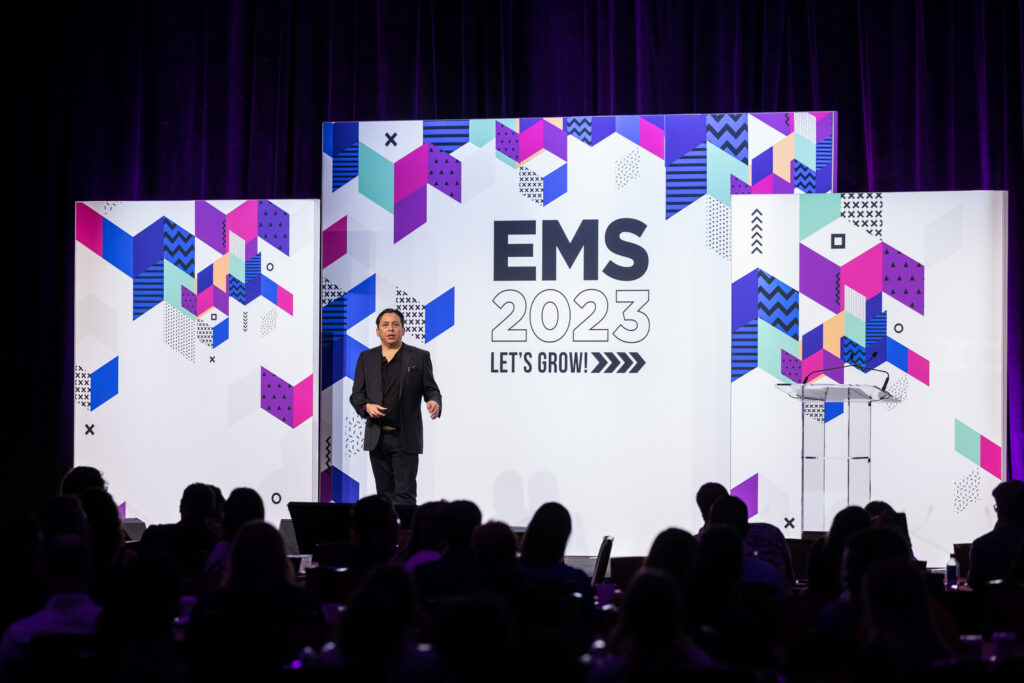
Brian Solis delivered the keynote speech at EMS 2023 in Las Vegas, the leading conference for creators of the brand experience.
Solis’ keynote focused on “Creating Next Generation Customer Experiences” by reimagining the art and science of experience design. His mission was to help experience architects create more innovative, immersive, and memorable experiences. He shared insights from Disney imagineers and storyboard artists, Apple’s UI and UX spatial computing methodologies, and the role of memories in experience.
Event Marketer magazine also shared highlights from Brian’s talk.
Brian Solis asked the audience, “What are the moments that serve as your signature experience?”
In addition to getting pumped for the day with breakfast, a live DJ and trivia challenges, attendees learned about creating next-generation customer experiences, cultivating the energy exchange and looking at the role of events in 2023 from keynote speakers. Brian Solis, author of “X: The Experience Where Business Meets Design,” highlighted the importance of creating positive personal experiences that meaningfully connect brands with consumers. He pointed out how easy it can be to get caught up in the tech that will deliver digital experiences in today’s digital-first world, but he advised that the human element is essential to consider when writing the next event playbook.
“Experiential innovation is the result of empathetic design,” Solis said. “And empathy is the gift we first give ourselves in order to also give the gift of experience to others.”
Solis cast the spotlight on the future of physical, online and hybrid experiences and how to reimagine existing and emerging touchpoints as “ignite” moments. He explored ways to unify 360 customer journeys and create enchanting, personal experiences that connect brands with customers, meaningfully.
His keynote also helped audiences learn:
How “micro-moments” are reshaping the new customer journey in each of the five “moments of truth.”
How post-pandemic experiences become memories and new ways to connect brands with customers.
Why transcending touchpoints into “ignite” moments can accelerate brand experiences.
How to respond to “accidental narcissism” by genuinely enchanting customers.
How to elevate your event teams by aligning Brand Experience (BX), Customer Experience (CX) and User Experience (UX) to change how companies work, sell and serve.
“Experiential innovation is the result of empathetic design. And empathy is the gift we first give ourselves in order to also give the gift of experience to others.”
Conflict is an unavoidable part of human interaction, and the workplace is no exception. Building constructive relationships and fostering a harmonious work environment is essential in maintaining productivity and staff morale.
In this blog post, we will explore effective strategies and techniques for mastering the art of conflict resolution in the workplace.
9 Conflict Resolution Strategies in the Workplace
Workplace conflict is not uncommon. It often arises from differences in opinion, personality clashes, or competing interests.
Use these effective conflict resolution strategies in the workplace to transform tension into collaboration, and to enhance organizational harmony.
1. Identifying the Root Causes of Conflict
The first step in effectively resolving workplace conflicts is identifying the root causes. Key sources of conflict may include communication breakdowns, misunderstandings, differing priorities, or misaligned goals.
Recognizing these triggers can help you address the underlying issue rather than getting lost in the emotions surrounding the conflict.
2. Approaching with a Win-Win Mentality
Instead of approaching conflict as a win-lose situation, strive for a more collaborative, win-win mentality. Focus on finding solutions in which everyone benefits and no one feels as though they have lost.
By emphasizing shared interests and common goals, you can foster an environment where conflicts are more likely to be resolved positively and constructively.
3. Emotional Intelligence and Mental Well-being
Developing emotional intelligence can greatly improve your ability to manage conflict in the workplace.
Emotionally intelligent individuals are better equipped to recognize and manage their own emotions while also acknowledging and empathizing with others’ emotions. A high level of emotional intelligence can help to minimize misunderstandings and prevent small issues from escalating into larger conflicts.
Ensuring that employees have adequate mental health support, such as understanding and utilizing FMLA for mental health, is also crucial in preventing conflicts related to stress, burnout, or other mental health issues.
4. Utilizing Mediation and Neutral Third Parties
When conflicts are too difficult to resolve independently, it might be helpful to seek assistance from a neutral third party or mediator.
Mediation is a valuable tool in conflict resolution, as it allows the parties involved to voice their concerns and work together towards a mutually satisfying solution. A mediator can offer objective guidance and ensure that the conversation remains respectful and productive.
5. Open Communication
Encouraging open communication is crucial in resolving conflicts effectively. All parties involved should feel comfortable expressing their thoughts and feelings without fear of judgment or criticism.
Active listening plays a significant role in promoting open communication, as it allows each person to feel heard and understood, increasing the likelihood of reaching a mutually agreeable resolution.
6. Trust and Accountability
Establishing trust and accountability among team members is a crucial factor in conflict resolution. By promoting trust, employees are more likely to engage in open, honest communication, lessening the chances of conflict arising from miscommunication or withheld information.
Accountability encourages employees to own their actions and understand how they contribute to the overall dynamics of the team, prompting them to address potential conflicts proactively.
7. Collaborative Problem Solving
When attempting to resolve conflicts, it is beneficial to encourage all parties to engage in collaborative problem-solving. This approach aims to find solutions that address everyone’s needs and concerns equally, without favoring one side over the other.
By seeking input from all involved, you can foster a sense of shared responsibility and accountability, leading to a more harmonious workplace environment.
8. The Importance of Empathy
Emphasizing empathy within workplace relationships significantly contributes to successful conflict resolution. When employees genuinely attempt to understand the perspectives, feelings, and motivations of their colleagues, they can bridge communication gaps and find common ground.
Emphasizing empathy will strengthen relationships, promote a more supportive and cohesive work environment, and minimize potential conflicts.
9. Conflict Resolution Training
Providing conflict resolution training for employees can help create a workplace environment better equipped to deal with and resolve conflicts effectively. This training can include workshops, seminars, or team-building exercises focused on teaching employees the necessary skills to manage differences and navigate through disagreements.
Equipping your team with these tools and techniques will not only foster a positive work atmosphere but also promote professional and personal growth.
The Benefits of Conflict Resolution in the Workplace
When conflict resolution strategies are effectively employed in the workplace, the benefits are manifold. Teams become more cohesive, communication improves, and trust is strengthened.
Conflicts, instead of being seen as disruptive, become opportunities for growth and positive change. A workplace that embraces conflict resolution strategies fosters a culture of collaboration and continuous improvement.
Conclusion
Mastering the art of conflict resolution is a vital skill for anyone navigating the complexities of the modern workplace. By identifying the root causes of conflict, promoting open communication, and adopting a collaborative mindset, you can create a more positive and supportive work environment.
Remember that even the most harmonious workplaces will encounter conflict from time to time; what sets a truly healthy and productive workplace apart is how those conflicts are addressed and resolved.
I am Adeyemi Adetilewa, an SEO Specialist helping online businesses grow through content creation and proven SEO strategies. Proficient in WordPress CMS, Technical Site Audits, Search Engine Optimization, Keyword Research, and Technical Writing (Portfolio).
Founder and Editor-In-Chief of Ideas Plus Business Magazine, an online business resource for entrepreneurs. I help brands share unique and impactful stories through the use of public relations, advertising, and online marketing. My work has been featured in the Huffington Post, Thrive Global, Addicted2Success, Hackernoon, The Good Men Project, and other publications.
Having a well-thought-out digital marketing strategy is critical for financial advisors looking to attract new clients while nurturing existing relationships. Your website, social media presence, event promotion and email campaigns are all essential elements of your overall plan. Better yet, each of these elements can be improved by adding one feature — video.
Adding video content to your digital marketing plan allows you to stand out from your competition as you better connect with your prospects and clients on the various sites and platforms they use on a more personal and engaging level.
Video is a dynamic medium for lead generation because its versatility allows you to connect with your target audience in a way that resonates with current consumer trends and highlights your more modern approach to the business.
Building trust & deepening client relationships
Leveraging the power of video when seeking new clients helps build trust from the beginning so that by the time a prospect meets with you, they feel like they already know you. It is also a great tool to use in your communications with existing clients. It keeps you top-of-mind with them by providing value-added content on a variety of topics that do not all need to be about financial planning and investing. It’s a fantastic way to deepen an existing relationship.
There are several distinct types of videos you should consider creating:
For prospecting, you may want to consider creating a video to provide potential clients with the necessary information to make an informed decision to work with you. An increasing number of consumers conduct research before engaging in services or purchasing a product. In fact, 74% of people have been convinced to buy a product or service after watching a brand’s video. So don’t let a static website be your first introduction to a potential new client.
Creating a self-introduction video is a powerful tool for establishing a strong connection with potential clients and conveying your value proposition and expertise as a financial advisor. This type of video is a unique opportunity to make a good first impression, articulate your services and enable prospects to envision themselves working with you. In just a few minutes, an introduction video can offer a concise, yet comprehensive, platform to showcase your personality, passion and brand story — the reasons why you do what you do and care about the people you serve.
An introduction video can be a versatile asset across all of your digital marketing. It should be prominently displayed on the homepage of your website, embedded in emails and shared on all of your social media platforms.
Educational videos can do double duty by working well with both clients and prospects, saving you time and scaling your efforts.
Use these videos to empower your audience with the knowledge and skills necessary to build a good foundation for discussions you will have with them about their financial goals. Having a basic understanding of financial and investing topics will make those conversations easier and lead to more successful decision-making.
By diving into critical subjects like Taxes in Retirement, Estate Planning, Social Security, College Planning and more, you provide an easy-to-understand overview of the fundamental principles and strategies required for long-term financial stability and growth. This type of content helps foster rapport and trust with your audience.
Webinars offer a dynamic platform that nurtures active engagement, facilitates seamless information sharing and transcends geographical barriers, enabling you to reach a wider spectrum of individuals seeking financial guidance. Harnessing webinars empowers you to captivate and inspire audiences, paving the way for substantial growth and success in your financial planning and investment endeavors.
Hosting live webinars is a tremendous prospecting and client engagement tool, but not all of your target audience will be able to attend the event. Having a library of recorded webinars on your website allows you to leverage this valuable content so your audience can absorb the information conveyed on their own terms.
Tips for creating impactful videos
Not all videos are created equal. You want to ensure that your video is additive to your marketing strategy, not a detriment. Here are a few tips to help you create videos that will move your marketing efforts forward:
Keep your videos short and to the point. People have short attention spans, so getting your point across quickly is essential. Short videos often have higher reach and engagement rates on social media.
Be yourself. People can tell when you’re being genuine, so it’s important to be yourself in your videos. Your message must cut through the noise, and with today’s saturation of marketing pitches, putting out authentic, candid content will give you a leg up.
Ensure your video and audio are clear. Your videos should look and sound good, so always use quality equipment, such as a camera or your smartphone. Camo Studio is an affordable app that allows phones and other mobile devices to be used as a pro-quality webcam.
Promote your videos. Once you’ve curated unique video content, you must promote it across all your digital platforms, including your website and social media. And don’t forget your email marketing campaigns. Video can really take your emails to the next level.
To learn more about how video can help your lead generation and marketing efforts, click here.
White Glove is a tech-enabled marketing services company dedicated to helping financial advisors grow their practices. Visit us at whiteglove.com.
The views and opinions expressed herein are the views and opinions of the author and do not necessarily reflect those of Nasdaq, Inc.
CX Network named Brian Solis as one of the top customer experience leaders to follow in 2023.
Click here to learn more about the other 49 leaders!
CX Network presents its guide to the top customer experience influencers you should follow this year
CX Network is delighted to present its guide to the top customer experience thought leaders we believe you should follow in 2023.
Spanning five of the world’s six continents (only Antarctica is missing so far – watch this space!), our list includes CEOs, media personalities, CXOs and thought leaders, all of whom are making a significant impact in the world of customer experience by bringing innovation to their field and inspiring the next generation of CX leaders.
The top CX influencers to follow in 2023 profiles 50 people who we believe are the most influential in CX today. It highlights why you should follow them and includes links to our pick of their top blog posts, podcasts and interviews.
Brian Solis, the Digital Darwinist
Few people can claim to have sat across from news anchor Katie Couric, basketball player Shaquille O’Neal and Smashing Pumpkins frontman Billy Corgan to quiz them about advances in technology, but Brian Solis can thanks to his popular online video series (r)evolution.
A student of anthropology, he coined the term “digital Darwinism” in a Washington Post article in 2011. Solis is also a regular international keynote speaker and the author of more than 60 research papers and eight best-selling books on digital transformation, CX, cognitive enterprise and human behavior. The one-time VP and global innovation evangelist at Salesforce has also recently started a role as global head of innovation for software firm ServiceNow.
Our pick of Brian Solis’ content:
Brian Solis on digital Darwinism and innovation
Brian Solis is a top customer experience keynote speaker. Brian Solis is a top CX keynote speaker.
Digital Darwinism: The evolution of society and technology and its impact on behavior, expectations, and behaviors.
“It is not the most intellectual of the species that survives; it is not the strongest that survives; but the species that survives is the one that is able best to adapt and adjust to the changing environment in which it finds itself.” – Leon C. Megginson
Transformation becomes the minimum ante to surviving evolution.
At some point though, we have to stop reacting to change and become the change that everyone else reacts to.
Shift from a reactive mindset to a proactive one.
Ask questions that take your thinking beyond the givens.
With #AI for example, it is a given that automation and cost take-outs are not only possible, they propane the tyranny of the status quo. Everyone is looking at this for quick wins.
What matters most is how you think differently to uncover opportunities for AI to augment or even innovate work to grow, create new value, drive new revenue streams…exponentially.
This is what it means to differentiate. This is what it means to transform. Otherwise you’re digitizing what you did yesterday to operate tomorrow.
Digital Darwinism favors those who are “able best to adapt and adjust to the changing environment.”
The environment…your market…your customers and employees…are changing and evolving. You must too.
This isn’t just a chance to optimize work to be more efficient. This is the time to reimagine work itself to be more effective and more competitive (and profitable).
Many automate the same activities they’ve always done, rather than innovating a better way forward. Automating bad processes won’t make them better. In the same manner, you can’t cut your way to innovation.
Ask yourself, ask your teams, how AI challenges fundamental assumptions you have about your business and operational models?
The answers will lead beyond quick wins to unlock differentiating use cases and transformational initiatives.
October 13, 2023 (MLN): The benchmark KSE-100 index ended the 10th consecutive session in the green, surging to a new yearly high, closing at 49,493.47 with a daily increase of 721.76 points or 1.48%.
This was the highest weekly and daily close since June of 2017.
The total volume of the KSE-100 Index surged to 369.813 million shares, the highest traded volume since June 16, 2021.
In today’s session, the index traded in a range of 752.78 points showing an intraday high of 49,520.38 (+748.66) and a low of 48,767.59 (-4.12) points.
Of the 100 index companies 73 closed up, 20 closed down, 2 were unchanged, while 5 remained untraded.
KSE-100 index was supported by Commercial Banks with 229.21, Oil & Gas Exploration Companies with 138.81, Cement with 70.75, Automobile Assembler with 56.36, and Oil & Gas Marketing Companies with 41.11 points.
Companies adding points to the index were PPL with 74.62, MEBL with 48.69, MTL with 47.72, HBL with 35.44, and UBL with 32.83 points.
This notable surge in buying activity throughout the week was attributed to the improving rupee’s value against the US dollar and upcoming corporate earnings wherein the market expects decent profits.
Meanwhile, yesterday’s announcement by PSMC has also played a due role in boosting the buyers’ sentiments today.
On the other hand, the KSE-100 Index was let down by Technology & Communication with 25.83, Refinery with 9.65, Tobacco with 4.17, Vanaspati & Allied Industries with 0.36, and Miscellaneous with 0.15 points.
The negative reports making rounds in the media about TRG, which TRG termed as ‘malicious media campaign’ and ‘misleading and false’, continued to drag its stock lower and stripped off most points from the KSE-100.
Accordingly, TRG took away 50.74 points from the index, followed by EFERT with 6.8, NRL with 5.59, FFC with 4.87 and KAPCO with 4.63 points.
In the broader market, the All-Share index closed at 33,049.41 with a net gain of 506.48 points.
Total market volume was 556.390 million shares compared to 342.287 from the previous session while traded value was recorded at Rs15.45 billion showing an increase of Rs3.72bn.
There were 179,580 trades reported in 360 companies with 240 closing up, 99 closing down and 21 remaining unchanged.
Company
Volume
Top Ten by Volume
KEL
134,871,750
PTC
48,393,000
WTL
33,564,554
PPL
15,178,339
OGDC
12,277,567
PAEL
12,137,378
SEARL
9,562,276
PRL
9,494,821
TRG
9,300,652
UNITY
8,388,879
To note, the KSE-100 has gained 8,041 points or 19.4% during the fiscal year, whereas the ongoing calendar year has witnessed a cumulative increase of 9,073 points, equivalent to 22.45% in the KSE-100.